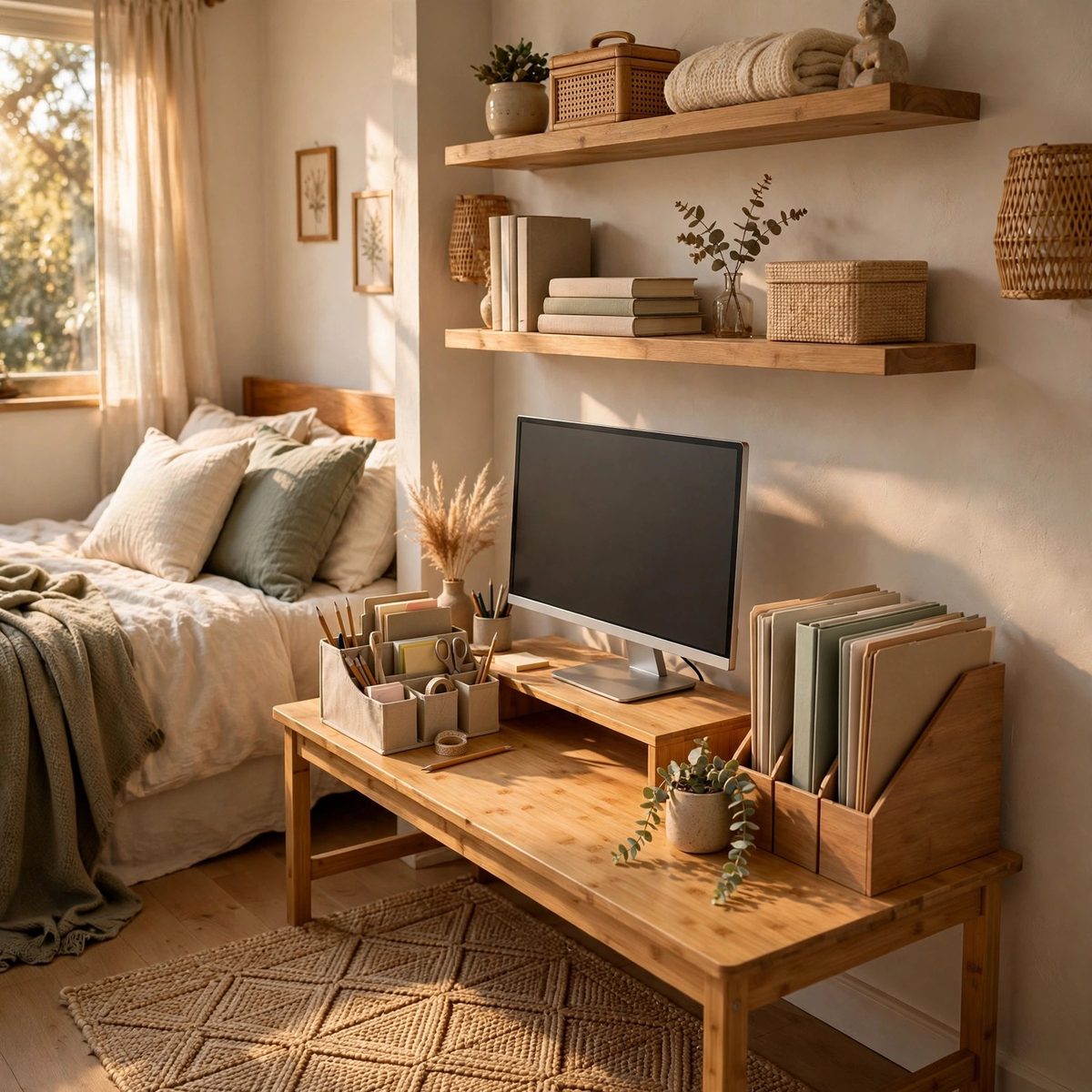
Not everyone has a spare room for an office. Most home workers are set up in a bedroom corner, a slice of the living room, or a nook under the stairs — spaces that have to function as an office from nine to five and revert to living space after. This guide covers how to build a workspace that works hard in small and shared spaces without taking over the home.
The Fundamentals: Light, Posture, and Boundaries
Three things matter more than any furniture: light, posture, and a boundary between work and home. Natural light beats overhead lighting for daytime work — position the desk near a window if possible, with the screen perpendicular to it to avoid glare. If the window is behind the screen, you'll squint; if it's behind you, your video calls will be silhouetted.
Posture is about screen height and chair support. The top of your screen should be at or just below eye level — for most laptop users, that means a riser or stand, not the laptop flat on the desk. A monitor stand that raises the screen while adding storage underneath solves two problems at once; the OrderlyOak Monitor Stand with Drawer Organizer lifts the screen to eye level with a pull-out drawer for supplies underneath.
The boundary is psychological but it needs physical support. In a shared space, the workspace should have a defined footprint — a desk, a mat, a screen — that says "work happens here." When the workday ends, closing the laptop and clearing the desk signals the space back to the household. Without that ritual, work spreads across the room and never really ends.
The Compact Desk: Choosing and Placing It
In small spaces, the desk is the biggest decision. A 40- to 48-inch desk fits most rooms without dominating them; narrower writing desks (around 20 inches deep) work in truly tight corners but leave little room for organizers. Wall-mounted drop-leaf desks fold away entirely — ideal for spaces that must be something else after hours.
Placement matters as much as size. Against a wall maximizes floor space and gives you a surface for wall-mounted shelves above. In a room corner, an L-shaped or corner desk uses dead space efficiently. Facing into the room feels less cramped than facing a wall, but it needs a tidier desk since it's always visible — which is an argument for good organizers, not against the placement.
Above the desk, use the wall. Floating shelves hold reference books, a printer, or storage boxes without touching desk space. A pegboard keeps tools visible and off the surface. Wall space is free in every room — use it before you buy a bigger desk.
Organizing the Desktop: Every Supply Has a Home
A small desk can't absorb clutter, so every supply needs a designated home. A coordinated organizer set covers the essentials in one footprint: pen cup, letter tray, file holder, phone stand, and a small holder for notes and clips. The OrderlyOak Desk Organizer Set, 5 Piece handles all five in a walnut finish that suits bedrooms and living rooms alike.
Paper is the desktop's fastest-growing clutter. A vertical file sorter with one slot per category (bills, active projects, to-file) stops the single growing pile — the TidyHaven Desktop File Sorter, 6 Slot holds six categories in a compact mesh footprint. Pair it with a weekly paper triage: file it, act on it, or recycle it. Paper that sits for more than a week becomes permanent.
Small supplies scatter without a home. A trio of pen holders grouped together keeps writing tools, scissors, and highlighters in one spot — the NeatNest Pen and Pencil Holder Trio Set splits supplies across three colors in a single grouped footprint. The rule: organizers should occupy no more than a quarter of the desk surface. The rest is working space.
Cable Management: The Invisible Upgrade
Cables are the difference between a workspace that looks intentional and one that looks temporary. A cable management box gathers the power strip, adapters, and slack into one ventilated container — cords enter through side slots, and only the cables you need come out. The NeatNest Cable Management Box, Large fits a full-size power strip with ventilation for heat.
Route cables deliberately: along the desk's back edge with adhesive clips, down one leg to the floor, and into the box. Label both ends of every cable. For video calls, run the webcam and microphone cables along the same path so they don't dangle in frame. This takes twenty minutes once and pays off every day — a tidy cable run makes even a budget desk look professional on camera.
Shared Spaces: The Bedroom Office
The bedroom office is the most common shared setup — and the trickiest, because the bedroom is supposed to be restful. The key is visual separation: a room divider, a bookshelf turned perpendicular, or even a curtain on a tension rod creates a "wall" between sleep and work. It doesn't need to block sound; it needs to block sightlines so the bed isn't in your peripheral vision during work (and the desk isn't in view at bedtime).
Keep the bedroom desk minimal — the basics plus one organizer set. Anything that doesn't fit goes in the closet or under the bed, not on the desk. A rolling cart beside the desk can hold office supplies and roll into the closet at day's end, making the "close up shop" ritual physical: cart in the closet, laptop closed, work is over.
Lighting matters doubly here. A desk lamp with warm light for evening wind-down is fine, but daytime work wants bright, cool task lighting. If the bedroom only has one overhead light, a clip-on desk lamp is the most affordable meaningful upgrade.
Shared Spaces: The Living Room Office
Living room offices face an audience — housemates, family, video-call colleagues. The desk should look intentional, not improvised: a real desk (not a folding table), a coordinated organizer set, and hidden cables. Your video background is part of the setup — a tidy shelf or a plain wall beats a view of the kitchen.
Noise is the living room's real challenge. If you take calls, a good headset matters more than any furniture. For focus work, position the desk away from the TV and the main traffic path. A rug under the desk area subtly marks the office zone and dampens sound — it also makes the "office" feel like a defined place rather than a desk that wandered into the living room.
Storage has to be closed here. Open shelves of office supplies read as clutter in a living room; a desk with drawers, a file sorter that looks tidy, and a cable box keep the work footprint visually quiet. When the workday ends, everything should be able to disappear — laptop in a drawer, papers filed, desk clear enough to hold a coffee cup.
The End-of-Day Shutdown Ritual
In shared spaces, the shutdown ritual is what keeps work from colonizing the home. It takes five minutes:
- File the paper: Everything loose goes into the sorter, the tray, or the recycling. Nothing stays on the desk surface.
- Close the loops: Write tomorrow's top three tasks on a sticky note and leave it on the keyboard. Your brain can let go of what it knows is captured.
- Clear the surface: Supplies back in their homes, mug to the kitchen, laptop closed or in its drawer.
- Reset the zone: Chair pushed in, cart rolled away if you use one, divider curtain drawn if you have one.
The ritual works because it's the same every day. After two weeks it becomes automatic, and the mental switch from "work mode" to "home mode" gets easier — which is the real benefit of a home office setup in a shared space. It's not about the furniture; it's about the boundary the furniture makes possible.
Budgeting the Setup: What to Buy First
If you're building from scratch, buy in this order: first, whatever fixes your biggest pain (usually screen height or seating — a monitor stand like the OrderlyOak Monitor Stand with Drawer Organizer is a cheap ergonomic win). Second, cable management — the NeatNest Cable Management Box, Large transforms the look for the price of a lunch. Third, a desktop organizer set and file sorter to corral supplies and paper. Fourth, lighting if the room's light is poor. Everything else — shelves, pegboards, dividers — can wait until you know how you actually use the space.
Start with the pieces that make the biggest daily difference in our Desk & Home Office Organizers collection — and remember that in a small or shared space, the right setup is the one you'll actually maintain. Buy less, organize what you have, and let the shutdown ritual do the rest.